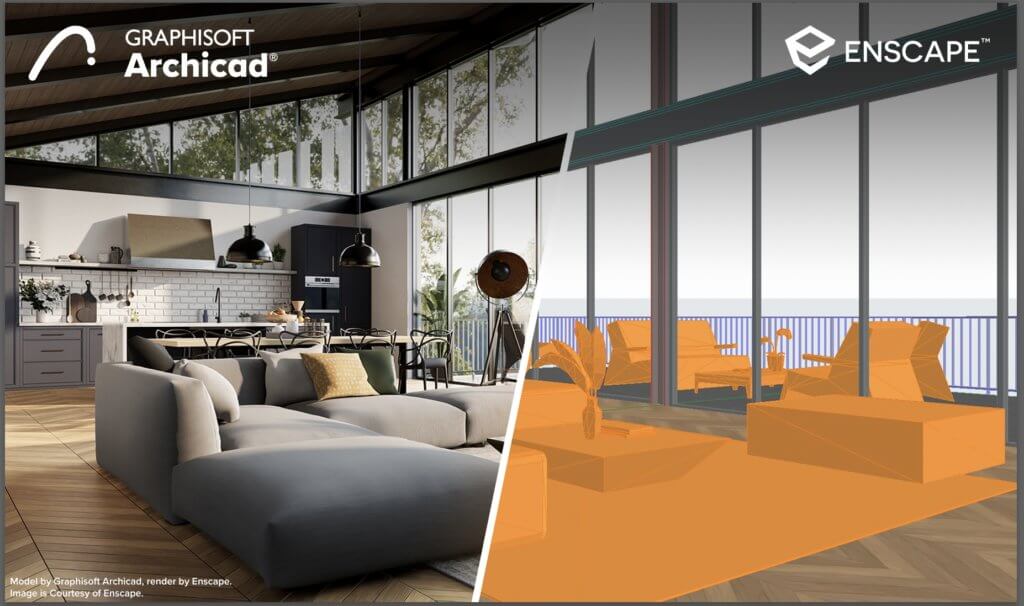
Here's the difference that explains everything about ArchiCAD, and it hides in a question that sounds pedantic until you've lived it: when you draw a wall, what have you actually made?
In old-school CAD, you've made lines. Two parallel strokes that your brain interprets as a wall, but the software sees as geometry — dumb, decorative, disconnected. Move the wall and the floor plan updates; the section doesn't, the elevation doesn't, the door schedule definitely doesn't, and you spend Thursday reconciling drawings that should never have disagreed in the first place.
In ArchiCAD, you've made a wall. The software knows it's a wall — knows its height, its material, its fire rating, its cost, that there's a door in it. Draw it once and the floor plan, the section, the elevation, the 3D view, and the quantity schedule are all just different windows onto the same object. Change the wall anywhere and everything else updates, because there's nothing to reconcile — it's one model wearing different outfits.
That's BIM — Building Information Modeling — and it's Graphisoft's whole bet with ArchiCAD. Everything below is a consequence of that one idea.

What you're really building
ArchiCAD is a professional BIM tool that runs on Windows and macOS. You don't draft a building in it; you model one — a single 3D model that carries all the data about the design, construction and eventual operation of the thing. Architects, engineers, contractors and owners all draw from that same model, which is the point: the drawing set, the schedules, the costings and the digital twin a facilities manager uses years later are all generated from one source of truth rather than maintained as a dozen documents that drift apart.
Three jobs fall out of that naturally. Design development: explore the concept in 3D, with parametric modeling and rendering to test alternatives. Construction documentation: generate accurate, consistent 2D drawings and auto-build the schedules, specs and bills of materials straight from the model. Facility management: hand over the model as a living digital twin, accessible on web or mobile, that holds everything needed to run the building.
What version 27 brings
The current release (27) sharpens the tools without abandoning the BIM core:
- Façade design — complex curtain walls, panels, frames and patterns built from parametric profiles and custom geometry modifiers, with fewer clicks and more control.
- Integrated structural analysis — the built-in Structural Analysis tool lets you view and manage loads on any model view and export to dedicated analysis software, so the structure conversation starts inside the model instead of in a separate silo.
- Expression-based properties — define custom properties using formulas built on the element's own parameters. Quantities, costs, energy performance — calculated automatically, updated live.
- Faster 2D navigation — large floor plans and sections pan and zoom more smoothly, with a new marquee tool for jumping around the model.
- Better Stair and Railing tools — complex stairs with automatic documentation, and railings that attach to stairs, slabs, walls, roofs or meshes.
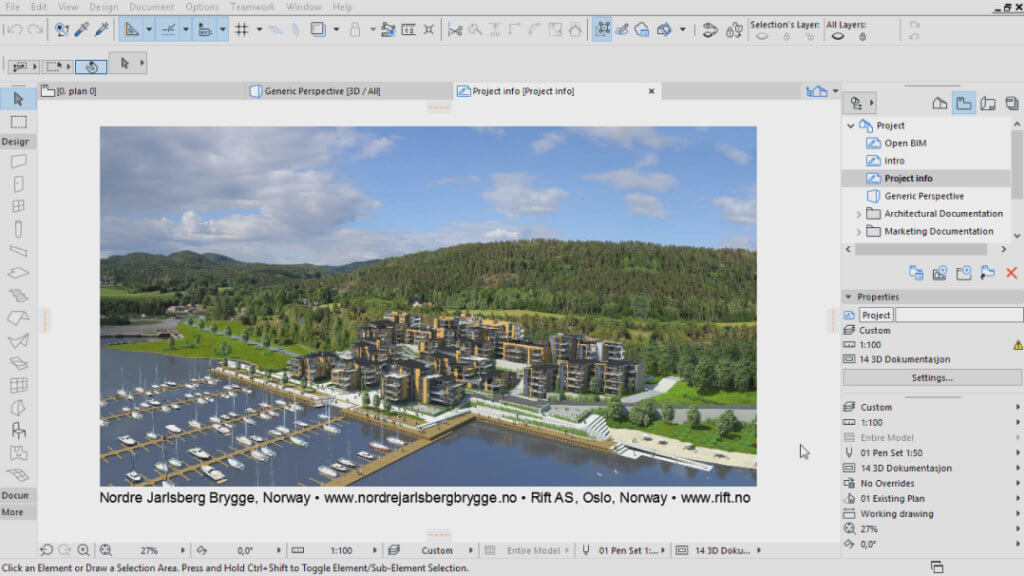 Sketch render in ArchiCAD
Living in it day to day
The interface is the usual professional kit — menus, customizable toolbars, dockable palettes, and multiple viewports showing floor plan, section, elevation, 3D and layout side by side. You can build and save whole work environments tuned for design, documentation or teamwork, which matters more than it sounds: a tool this deep is far more pleasant when the screen is arranged for the task in front of you.
Input is graphical and forgiving — draw and edit in 2D or 3D with smart-cursor snapping, the magic wand, guides and the pet palette for in-place edits. Underneath sits the parametric modeling engine that lets complex forms stay editable instead of frozen, plus the automatic documentation system quietly keeping every drawing in sync with the model.
Playing well with others
ArchiCAD leans hard into open BIM, which is the grown-up answer to a real problem: not everyone on a project uses the same software, and nobody should be held hostage by a file format. It imports and exports DWG, DXF, IFC (the open BIM exchange standard), PDF, SKP, OBJ, STL and XML, and exchanges data cleanly with Revit, SketchUp, Rhino and Grasshopper. Cloud services round it out — BIMcloud for collaborative model sharing and BIMx for walking clients through the building on a phone.
Support, pricing and the catch
Graphisoft backs it with email and phone support, active user forums, and the ArchiCAD Learning Center — tutorials, videos and webinars deep enough for both beginners and veterans.
Licensing comes in four shapes: a subscription (monthly or annual, always-latest version), a perpetual license (pay once, own it), a free educational license for students and teachers, and a 30-day free trial. All tiers include support, training discounts, and BIMcloud/BIMx access. Exact prices vary by region and version, so a quote from a local partner is the honest figure — and "varies by region" is doing some polite work there, because this is not cheap software.
The honest scorecard
Where it wins: the BIM core is genuinely powerful — one coherent model driving design, documentation and data, with parametric editing and automatic, always-consistent drawings. The open-BIM interoperability means it cooperates instead of locking you in. For producing real, coordinated construction documents, it's in the top tier.
Where it strains: the learning curve is steep, and there's no pretending otherwise — BIM asks you to think about a building as structured data, which is a genuine mental shift, and you may need extra plugins for certain effects. System requirements are high; this wants a real machine and a real GPU. And the price puts it out of casual reach for students, hobbyists and many freelancers.
The bottom line
ArchiCAD is what you reach for when the deliverable isn't a pretty picture but a coordinated building — drawings that agree with each other, schedules that match the model, data that survives to handover. That power comes at the cost of a real learning investment and a real budget, and that trade is exactly right for the audience it's built for: professionals who'd rather pay that cost once than pay the reconciliation tax on every project forever.
If you're choosing between this and a lighter modeler, the deeper question is BIM versus CAD itself — which the BIM vs CAD guide takes on directly. And if you want to bolt AI onto an ArchiCAD workflow, the AI tools in ArchiCAD guide covers exactly that.