
There's a whole category of software now that promises architects something close to magic: feed it a rough sketch or a bland SketchUp export, and it hands back a photorealistic render in seconds. A dozen startups are racing to own this space, and the marketing for all of them sounds identical — revolutionary, effortless, AI-powered.
So here's the useful way to cut through it. Under the hood, these tools all run the same fundamental trick: a diffusion model takes your image plus a text prompt and generates a render. That means they're rarely separated by whether they can make a building look good — almost all of them can. What actually separates them, over and over in testing, comes down to two questions:
- Does it keep your building? Same massing, same openings, same materials — or does it "improve" your design into something you didn't draw?
- Can it build the world around the building? The trees, the street, the people, the light — the context that makes an image feel real instead of a model floating in a void.
Hold those two lenses and the whole field sorts itself out.
Quick answer: the best AI rendering tool for each job
| If you need… | Use | Why |
|---|---|---|
| A render that keeps your geometry and materials | LookX AI or PromeAI | Image-conditioned modes that respect the input; strong on materiality |
| Your building shown in a believable street or landscape | mnml.ai | The best environments of the group |
| Dozens of fast concept variations | Fabrie AI | Up to 300 images a day, stylised look |
| A render from a sketch or floor plan with no setup | Desktop Architect AI | Upload, pick a style, get a photoreal render — free to try |
| A quick, basic visual | ReRender AI | Dead simple, weak on context |
| Pure concept exploration | Midjourney | Brilliant for mood; not a rendering pipeline |
Here's the scorecard, then the detail:
- Fabrie AI — 8/10: stylised renderings, great for vivid concept work.
- mnml.ai — 8/10: vibrant urban scenes, strong on context.
- PromeAI — 8/10: versatile, excellent component-level detail.
- LookX AI — 7/10: built for architects, strong on materials and lighting.
- ReRender AI — 5/10: simple and fast, but weak on environment.
- Midjourney — specialised: conceptual exploration, not precise rendering.
- Desktop Architect AI — ours, so no score (see the note in its section).
Fabrie AI — the stylist
Fabrie AI is for architects who want visual flair over literal accuracy — stylised renders that communicate the mood of a design at the concept stage. Its standout practical feature is volume: up to 300 images a day, which makes it a genuine iteration engine for exploring directions fast. The interface is friendly to professionals and hobbyists alike.
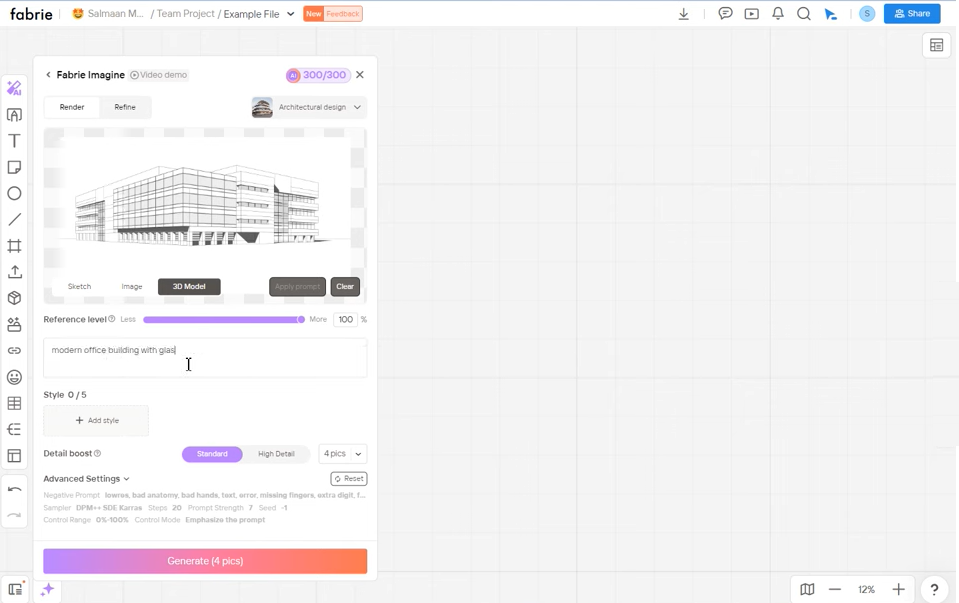 Fabrie AI web interface
Its weakness is the surroundings — buildings render with distinctive style, but the environment around them lacks detail, and the stylisation won't suit projects needing hyper-realism. 8/10, earned on style and throughput.
mnml.ai — the context master
mnml.ai is what happens when a tool takes the environment problem seriously. It generates vibrant, lifelike urban scenes — roads, cars, trees, the lot — which makes it the pick for presentation and competition phases, and especially for urban planning and landscape work where the building's relationship to its context is the whole point. It also bundles extra creative tools, like sketch-to-image conversion.
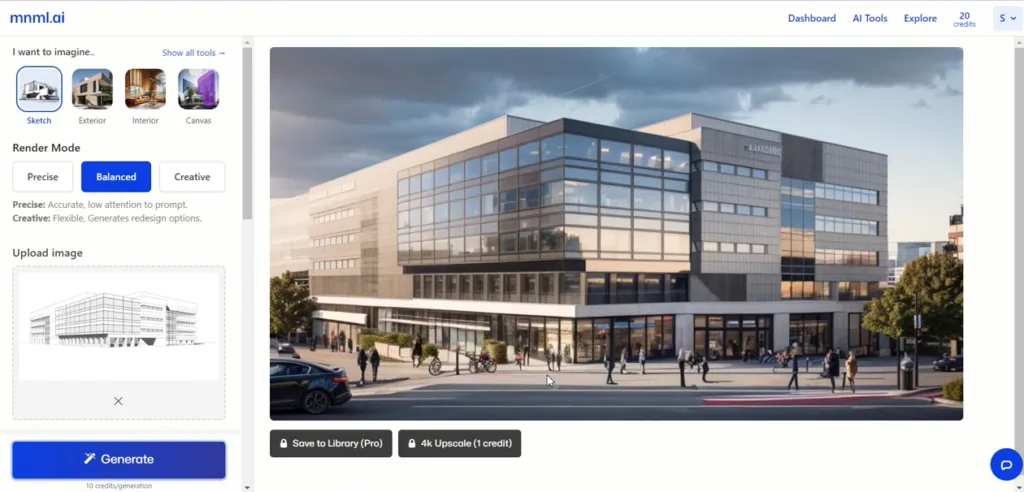 mnml.ai web interface
The breadth means a mild learning curve, the best features sit behind a subscription, and the colours can run too vivid for some palettes. But on the metric that matters most for presentations, it delivers. 8/10.
Looking for an mnml.ai alternative? If you like its context but want more control over materials, try LookX or PromeAI; if you want something simpler with no learning curve, Desktop Architect or ReRender.
PromeAI — the detail obsessive
PromeAI wins on versatility and fine detail. A wide array of styles and rendering modes lets you swing from sensitive historical renovation to crisp minimalism, and it's genuinely excellent at component-level rendering — window frames, glass, the small material moments that sell a façade study or an interior.
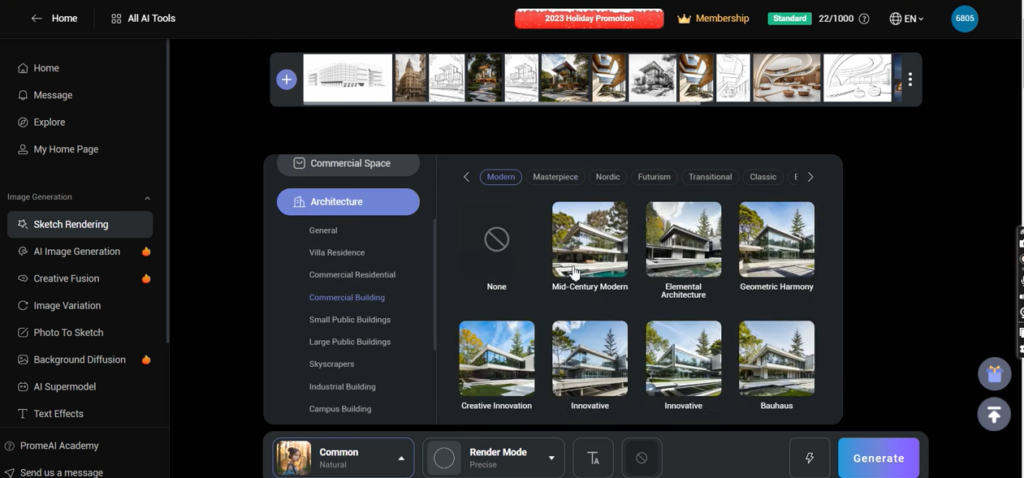 PromeAI web interface
The cost of all that range is complexity for newcomers, and scenes that sometimes lack populated life and activity. 8/10, on material specificity and depth.
LookX AI — by architects, for architects
LookX AI bills itself as the first AI platform designed by architects for architects, and the focus shows: it leans into materiality and lighting, with input modes tuned to real architectural visualisation needs. For high-end residential, commercial or cultural work — where the precise read of a material under specific light makes or breaks a client approval — that specialisation pays off.
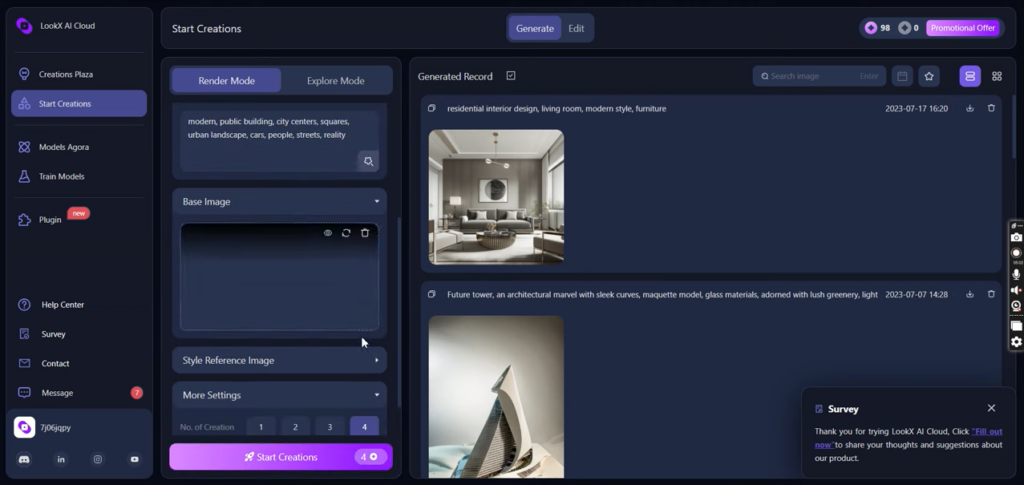 LookX AI web interface
The trade-offs are a steeper learning curve for non-architects, an options-heavy interface, and environments that, while dynamic, occasionally fall short of the most realistic competitors. 7/10.
ReRender AI — the quick sketch
ReRender AI is the no-frills option: upload an image, pick a predefined style and building typology, get a fast result. For a solo practitioner or small firm needing a quick early-stage visual without learning heavy software, that simplicity is the entire appeal.
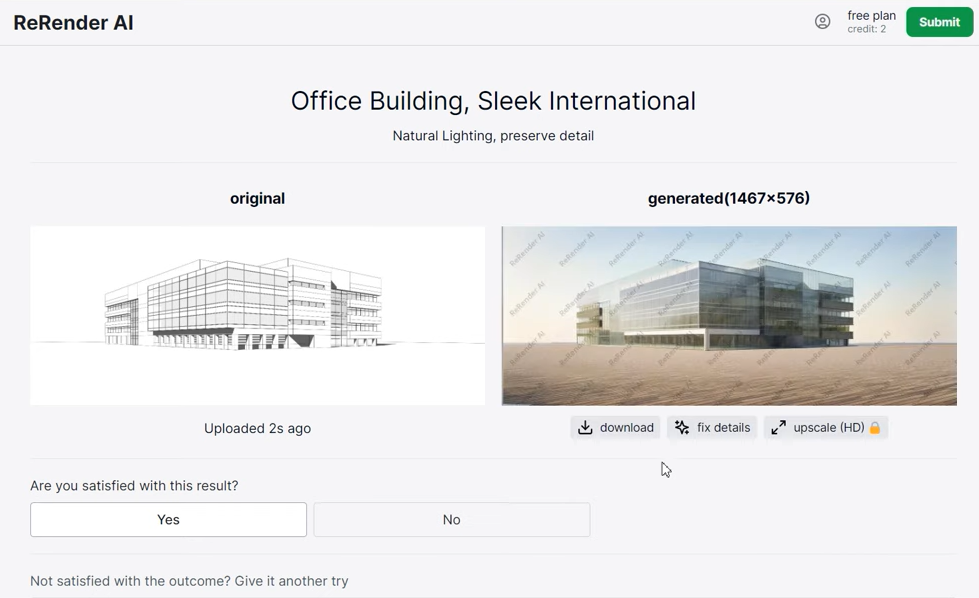 ReRender AI web interface
But it fails the environment test in its starkest form. Outputs feel isolated: no trees, no roads, no background, a building marooned on a blank plate. The free plan is restrictive too. 5/10 — fine for basic visualisation, short of commercial polish.
Midjourney — the dreamer, not the drafter
Midjourney is the odd one out, and it's important to be honest about why: it isn't really a rendering tool at all. It won't faithfully convert your SketchUp model into an accurate visual. What it's brilliant at is conceptual exploration — pushing imaginative, emotionally evocative directions during the earliest schematic and competition phases, guided entirely by your text prompts. (As architect Samir's experience underlines, it's a creative provocateur, not a rendering pipeline.)
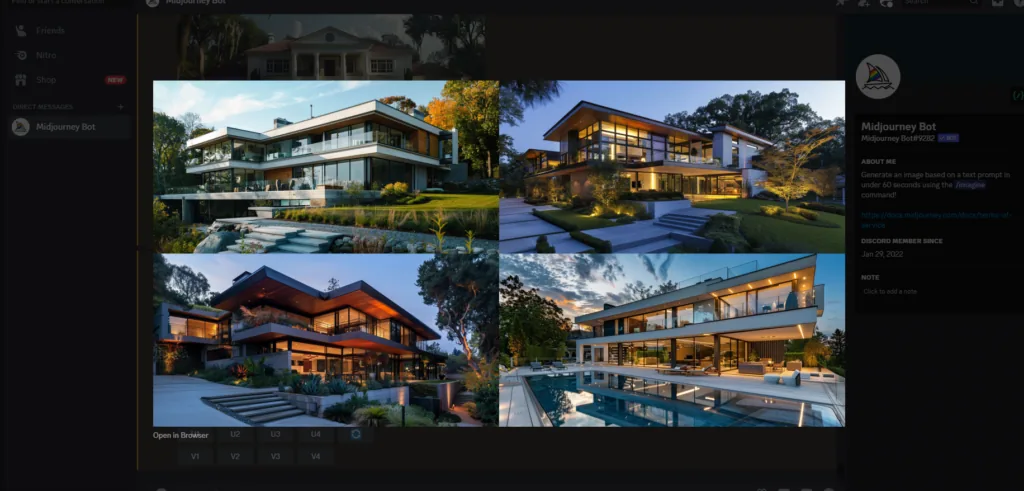 Midjourney's interface
So don't reach for it to produce a precise render of a design you've already committed to — it will cheerfully redesign your building for you. Reach for it to break a creative logjam. For getting real control out of it, the Midjourney tips for architects guide goes deep.
Desktop Architect AI — the no-setup option (ours)
Full disclosure: Desktop Architect AI is the tool this site builds, so we're not scoring it — judge it yourself. It does one job: you upload a sketch, a floor plan or a model screenshot, pick a style, and it returns a photorealistic 16:9 render. There's no prompt engineering and no interface to learn, which makes it the fastest path from "napkin" to "something I can show a client." You get one free render a month to try it; paid plans start at 20 renders a month.
Where it's weaker: it's a single-shot renderer, not a design environment, so you won't get the dials that LookX or PromeAI give you for fine material control.
Which AI tool keeps your design accurate?
This is the question most people are actually asking — some version of "what's the best AI tool for rendering my building model when the materials have to stay right?" or "which AI tool holds small CAD details in place when I regenerate?"
The honest answer: accuracy comes from the input, not the brand. Every tool here is a diffusion model, and diffusion models drift. What holds them in place is conditioning — feeding the model your actual geometry as a structural guide (edges, depth, line work) rather than just a description. That's exactly what ControlNet does, and it's why image-to-image modes beat text-to-image for real projects.
Practical rules that work in every tool:
- Start from a clean image of your model, not a text prompt. A straight-on SketchUp or Revit export with clear edges gives the model the least room to invent.
- Turn the "creativity" or "strength" setting down. Most tools expose it under some name. Low values preserve geometry; high values redesign.
- Name the materials explicitly in the prompt ("board-formed concrete, black steel window frames, oak cladding") — otherwise the model picks its own favourites.
- Expect small details to wobble. Mullion counts, railings and signage are where every current model slips. Check them before anything goes to a client or investor.
- For product or hardware renders, the same logic applies with more force: if dimensions matter, render the geometry in CAD and use AI only for lighting and backdrop.
What if the site plan keeps changing?
If you're in early concept and the plan changes weekly, don't invest in a precise pipeline yet. Use a fast, image-based tool (Fabrie for volume, Desktop Architect for zero setup) and regenerate from each new sketch — the whole point at this stage is speed, and a render that takes ten seconds is disposable in the best way. Save the controlled, material-accurate tools for when the design settles.
Is there a good Midjourney alternative for investor-ready renders?
Yes — and it's anything image-conditioned. Midjourney is text-first, so it gives you a beautiful building that isn't quite yours. For investor decks, where the render implicitly promises "this is what we'll build," use a tool that starts from your model: LookX or PromeAI for maximum control, mnml.ai when the surrounding context sells the project, Desktop Architect when you need it done in a minute.
Frequently asked questions
What is the best AI rendering software for architects? There isn't one winner — it depends on the phase. mnml.ai for context-rich presentation images, LookX or PromeAI for material accuracy, Fabrie for fast concept volume, and Midjourney for pure ideation.
Can AI replace V-Ray, Enscape or Lumion? Not yet for final, dimensionally accurate visualisation. AI renderers are faster and cheaper for concept and early client work, but traditional engines still win when every detail must match the drawings. Many studios now use both. (For the bigger picture, see will AI replace architects?)
Are there free AI rendering tools for architecture? Most tools on this list have a free tier or trial with limits on resolution or monthly images — ReRender, PromeAI, Fabrie and Desktop Architect all let you try before paying.
Which AI rendering tool works with SketchUp or ArchiCAD? All of them, in the simplest way: export a view as an image and upload it. For a workflow that goes deeper, see AI tools in ArchiCAD and our SketchUp review.
The bottom line
Match the tool to the phase. Dreaming up a concept? Midjourney. Pitching a building in its neighbourhood? mnml.ai. Studying a façade's materials? PromeAI or LookX. Iterating fast? Fabrie or Desktop Architect. There's no single winner — there's a right tool for each moment.
And one caveat. This field reshapes itself every few months; these seven are a snapshot, and any score here has a short shelf life. More to the point — every one of these tools makes an unbuilt idea look finished and convincing in seconds, and that persuasive polish is a power worth handling carefully. We can now generate a gorgeous render of a building nobody has actually thought through yet. We can. Whether that speeds up good design or just speeds up confident design is, uh... the question worth keeping in your back pocket while you enjoy the magic.